Jul 25, 2007
My Digital Life Editorial Team

The Call to DllRegisterServer Failed with Error Code 0×80004005 on Windows Vista

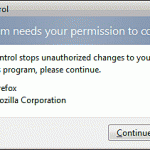
To register a DLL in Windows Vista with regsvr32.exe, you need to have administrator privileges and rights. Unless you have disabled UAC (User Access Control), all user accounts except Administrator that you use to login into Vista will need user to manually elevate the user rights to administrator credentials although you have set their roles as administrator.

If you try to regsvr32 a module in normal command prompt window without proper administrative privileges, you will get the following error message:

The module “xxx.dll” was loaded but the call to DllregisterServer failed with error code 0×80004005.

The scenarios that this error may occur are when you trying to register the jscript.dll or vbscript.dll to solve internal error 2739 during installation, or when install add-ins for Microsoft Outlook 2007 such as TRSOutlookAddin.dll or other DLLs under Windows Vista by using regsvr32.exe.

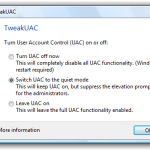
To solve the call to “DllregisterServer failed with error code 0×80004005″ error, run a Command Prompt as Administrator. Alternatively, you can disable User Access Control too, or login with Administrator account.

Related posts:

  1. Windows Update KB905474 and KB913446 Installation Failed with Error Code 0×80242006
  2. Internal Error 2739 Error in Vista (32 or 64-bit) When Install Adobe Photoshop CS3 and Reflector Related Programs
  3. Install Windows Server 2003 Administration Tools Pack (adminpak) on Windows Vista
  4. Failed or Missing Dependency of glibc-common Error
  5. Microsoft Money 2007 Unable to Connect to Internet to Sign In Online in Windows Vista Error

20 Comments

  • nice thanks guys :D i've already fix all the errors in my computers using ur suggestion and i've learn a lot :d

  • Thanks It is done now.

  • I am facing the same problem in XP. Any help.

    Thanks

    Suva

  • thank you i’ve solved my error problem

  • not work in XP SP3 !

  • That's good info. But I was wondering if I can use a dll file temporarily to execute something without actually registering it with regsvr32.exe

    I've this dll file to convert image formats. I want to carry it along with a bat file and be able to convert images by dragging & dropping image files into the bat file. Here's the tricky part. I don't have administrator access. I want to be able to do it as a guest.

  • Thanks Guys – not only had to allow admin rights but also read write etc rights in the system32 folder ( Windosw 7)- Who is Creator Owner and who is System – gave them rights to – not sure which one was effective though.

  • Easy fix. I just ran cmd as admin and it worked like charm!

  • Thanks a lot. Was struggling bad ly for registering a dll. This article was worthy:)

  • !!! Thank you, Thank you, Thank you – worked – very helpful !!!!

  • thank u LISA without ur help i will nt b able to do that actually main help was urs..

  • thanks a lot buddy it works…..

  • If there are no other errors have you tried registering it with an elevated command prompt?

    (Start, All Programs, Accessories, right-click Command Prompt, and then click Run as Administrator)

    Then use regsvr32 to register the DLL

  • Thankyou! Ran a command prompt as administrator and worked brilliantly. Like apis17, I forgot about the admin level, and the installation guides never mention it themselves.

  • Turned off UAC and it worked like a charm!

    Thanks!!

  • Hi all,

    I also run vista as a admin, I turned off UAC and rund the dos shell as admin but still getting the error :-( ((

    I even turned off alll antivirus and spam bloking software and still not getting any further.

    Any help is very appriciated!

  • Josh, same problem here. No UAC, and running as admin. Still getting the error.

  • thank you for this information i forgot windows vista have different privilege when doing installation.. thank you i've solved my problem..

  • Thanks…this worked the first time through!

  • I did all that with with being the admin, i even activated a admin account with command prompt to make sure i have access. but i still get this error when i try to use regsvr32 in cmd prompt. I don't understand why the dll is loaded but still won't work? please help if you can.

Leave a comment

Notify me of followup comments via e-mail. You can also subscribe without commenting.

Subscribe

Free email subscriptions
Get latest updates in email for free:

Translate This Page