Official Way to Install and Use Windows Vista without Activation for Free for 120 Days
By default, Windows Vista can be installed, used and run without any license, product key or the need of activation for 30 days grace period, for purpose of trial or evaluation. Although Microsoft initially stressed that users should purchase a license with valid product key before the trial period expires, or else Windows Vista will lock into Reduced Functionality Mode. However, a “rearm” method has long since been discovered to be able to extend, or reset the remaining time for activation to another fresh 30 days, for up to 3 times.
Now Microsoft has confirmed that Windows Vista can be used and run for 120 days or 4 months (3 rearms), and extending the activation grace period is not a violation of the Vista End User License Agreement (EULA). All versions of Vista include Windows Vista Ultimate allow a 30-day free period without activation, except the corporate-oriented Vista Enterprise, which supports only a three-day trial.
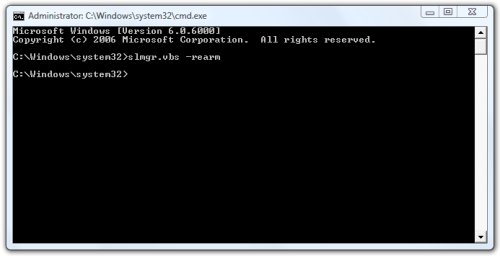
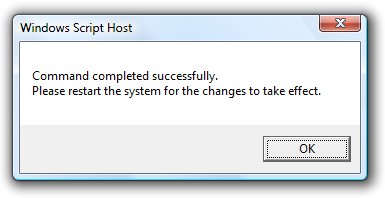
To extend, reset or restart the initial OOB grace period of Windows Vista to another 30 days, use the following steps:
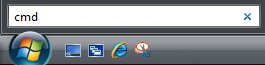
Click on Vista Start button and key in Cmd in Start Search box.
LK is a technology writer for Tech Journey with background of system and network administrator. He has be documenting his experiences in digital and technology world for over 15 years.Connect with LK through Tech Journey on Facebook, Twitter or Google+.