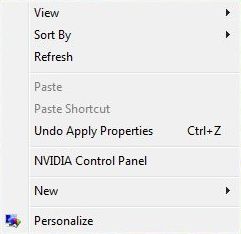
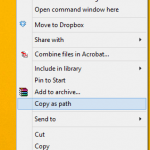
Windows Vista Aero feature offers new transparencies glass effects for various components such as Start Menu and borders of window. However, one of the commonly used function, right click contextual menu, a list of contextually targeted command items or options that appears when users right click with mouse on an object such as folder, desktop, Taskbar and etc, has a solid background interface which is not of translucency nature.
If the Start Menu can have transparent background, it’s not sure why the right click menu can’t have the transparency glass effect applied to the right click menu too. But hope is not lost with a program hack.
Y’z Shadow is free software utility that adds a shadow effect to the windows, with the additional feature to make menus transparent as in Aero transparency effect in Windows Vista. Yz Shadow, which can be downloaded for free, is perfect too to make the right click contextual menu in Windows Vista to has transparency glass see-through effect.
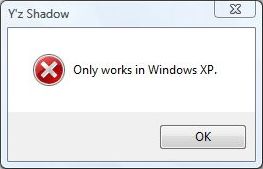
However, Y’z Shadow officially does not support Windows Vista. It only supports Windows XP. If users attempt to run YzShadow.exe in Windows Vista, a halt error message “Only works in Windows XP.” will appear.
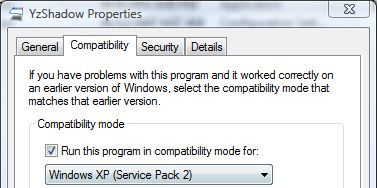
The stop error doesn’t mean Y’z Shadow cannot be used in Windows Vista. Here’s the trick to make Y’z Shadow works and run in Windows Vista, by using “Compatibility Mode”. Right click on YzShadow.exe, then click on “Properties”. In YzShadow Properties dialog, tick the check box of “Run this program in compatibility mode for:” option, and then select “Windows XP (Service Pack 2)” from the drop down list menu. Click OK when done, and run Y’z Shadow again.
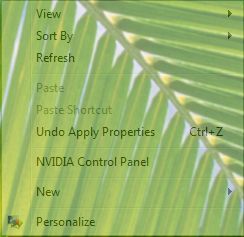
And, voila, the right click menu in Windows Vista now has transparency glass effect. The level of the transparency can be set in the Settings option on right clicking the Taskbar’s system tray icon.
LK is a technology writer for Tech Journey with background of system and network administrator. He has be documenting his experiences in digital and technology world for over 15 years.Connect with LK through Tech Journey on Facebook, Twitter or Google+.