
Viber is a new app for iPhone, iPod touch (iTouch) and iPad on the iTunes App Store that intends to revolutionize how calls are made on mobile phone. And indeed, Viber is a very good and convenient VoIP app for iOS-based smartphone device that allows free phone calls between iOS devices with Viber installed over 3G or Wi-Fi.
With Viber, iPhone, iPod touch or iPad user can call another iPhone, iPod touch or iPad user for free, whether the recipient is located in same country (local) or overseas (international), and vice versa for receiving call. The calls can be placed over Wi-Fi wireless connection or directly through 3G data connection.
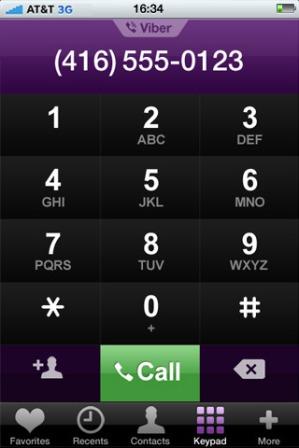
The main advantage of Viber is that it’s free and no registration is required, which means no junk mails coming into your mailbox, and no additional user name and password credentials to remember. The actual real iPhone phone number is used by Viber so that calls can be initiated on current number without the need to save additional number for VoIP calls. In addition, Viber uses iPhone’s contact list without additional buddy list to maintain. Any change to a contact will automatically sync and reflect on Viber.
Features of Viber:
- Free with no hidden costs – talk and text (SMS – coming soon) as much as you want without restriction or time limitation over 3G or Wi-Fi.
- Free international calls – Viber works virtually anywhere with Internet connection, as long as both parties have Viber installed.
- No ads – Viber doesn’t contain any annoying adds, and does not require in-app purchase.
- No registration required – Just install, enter your phone number to receive an SMS text with access code, enter the access code and use.
- Uses real phone number for calling – you will know which of your friends have Viber installed once you installed Viber as no different phone number is required.
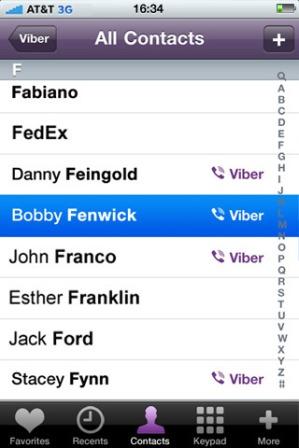
- No buddy list – Viber automatically syncs and highlights friends in iPhone’s address book that have Viber with a Viber logo so that you know who you can call for free. No addition step to add buddies or friends to Viber before making call.
- Viber has a dialpad (keypad) that can be used to dial virtually anyone else, whether they have Viber installed or not. If the called party does not have Viber, the call will be made using the GSM instead.
- Viber runs silently in the background even though the app is closed so that user can always receive a call on Viber. There is no need to log in, or “go online” to receive a call.
- Viber uses iPhone push notification to alert user with incoming calls, and it does not uses very much battery power. Once user answer the Viber call, the app will launch to establish the connection.
- Missed call notification support.
- High sound quality which may be better than GSM or a regular phone call, not to mention other VoIP services.
- Call quality indicator to allow users to keep track of call quality on the network.
- Viber supports Bluetooth connection with hands-free.
Here’s video introduction of Viber and Viber getting started guide:
Developer is committed to improve Viber for excellent audio calls with best sound quality, and promises a new version of Viber with SMS (text messages) support soon, together with a Viber for Android, which surely will broaden the number of people which you can call and text for free.
Download Viber from iTunes App Store.
 Tip and Trick
- How To Download HBO Shows On iPhone, iPad Through Apple TV App
- Windows 10 Insider Preview Build 19025 (20H1) for PC Official Available for Insiders in Fast Ring – Here’s What’s News, Fixes, and Enhancement Changelog
- Kaspersky Total Security 2020 Free Download With License Serial Key
- Steganos Privacy Suite 19 Free Download With Genuine License Key
- Zemana AntiMalware Premium Free Download For Limited Time