Intel PRO Wireless 3945ABG WiFi Radio Adapter Shut Off Randomly
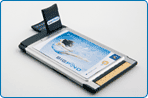
On laptop or notebook computers that use Intel PRO Wireless 3945ABG built-in Wi-Fi network adapter in Windows Vista, the WiFi radio signal may just suddenly turns off, shuts off or disable randomly, with the Internet or network cuts off. The wireless network connection may still appear as active and connected with Excellent signal strength in Network Center, but the network status will change to Limited Connectivity. If the system has LED indicator for Wi-Fi wireless radio signal status, the LED light also turns off (may also stays on) and Wi-Fi radio power cannot be toggled back on with Function hotkey (such as Dell QuickSet), even though the software detects the toggling or pressing of keys with WiFi and Bluetooth logo pop up. It looks like the wireless adapter card loses its power and are completely shutdown and powered off.
Even when the problem happens, the network device appears working properly and normal in Device Manager. The IP address auto-discovered by DHCP may be lost or gone. And there is no way to recover the wireless radio signal other than restart the system. But the problem will happen again. Even changing configuration settings of roaming aggressiveness, transmit power, wireless mode (between 892.11a/b/g) or power-saving mode does not permanently resolve the wireless network adapter off problem.
The notebook or laptop computers that affected by the suddenly auto shutdown of wireless signal adapter include Dell Inspiron E1505, Dell Inspiron E1705, Dell Inspiron 6400, Dell Inspiron 9400, Dell Latitude D830, Dell Latitude D630, Dell XPS M1210, Dell XPS M1710, Dell Precision M90, Sony VAIO VGN-SZ430NB, Acer, ASUS S6Fm, HP Pavilion dv9000, Alienware Area-51 M5790 and many other Vista system.
The issue with the WiFi adapter is caused by incompatible Windows Vista driver, as the problem does not happen under Windows XP system. Previously, users have used two workarounds as a temporary solution – “XP Fix” which uses Intel PRO Wireless 3945ABG driver designed for Windows XP, or rollback and switch back to Microsoft driver comes with Windows Vista for Intel PRO Wireless 3945ABG network card. However, these workarounds have an drawback and disadvantage that the Wireless network or LAN is not optimized for fastest possible speed, instead opt for lower reliable speed throughput, and also have poor radio signal level problem.
Luckily, Dell has released a new updated driver supporting Intel PRO/Wireless 3945ABG Network Connection and Intel Wireless WiFi Link 4965AGN. The driver version 11.1.1.22 dated 08/08/2007 comes from provider Intel, is packaged as R164259 (11.1.1.3) – A05 – August 2007 release. It fixes the following bugs (changelog):
Addresses 3945ABG radio disable seen with some systems running with Bluetooth modules
Addresses 3945ABG radio disable seen in some 802.11a environments after Standby or Hibernate
Addresses installer upgrade behavior where Windows Vista Preferred Networks would be lost
Addresses installer interaction with InstallShield Update Manager causing an unwanted prompt during installation
The new driver will likely to solve the Wireless cuts off problem in Vista. Download the driver version 11.1.1.22 from ftp://ftp.dell.com/network/R164259.EXE. It’s a Dell installer package, which should works on other brands too. Otherwise, simply extract the driver by using WinRAR and manually update the driver for the network card from Device Manager.
LK is a technology writer for Tech Journey with background of system and network administrator. He has be documenting his experiences in digital and technology world for over 15 years.Connect with LK through Tech Journey on Facebook, Twitter or Google+.