Oct 4, 2007
My Digital Life Editorial Team

How to Reset iPhone and iPod Touch (Hard Reset or Reboot)

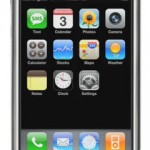
iPod Touch and iPhone froze and locked up? The iPhone may be popular, but it has its fair share of problems too. The iPhone and iPod Touch may become completely unresponsive with LCD screen fading away to blank or black. And the gadget device may also does not accept nor respond to any screen taps, and ignoring or not responding to any external buttons pressed. In this total lockout situation, a possible quick solution is to reset the iPhone or iPod.

Apple Support documented how to perform a reset. However, note that resetting the iPhone or iPod is not the same with restoring the iPhone or iPod. Restore will erase and wipe out completely all information and data that contained inside the device, including musics, songs, videos, contacts, photos, calendar information, call lists, maps, applications installed and any other data. All iPhone or iPod Touch settings are restored to their factory condition. Meanwhile, reset is more about hard reset, for those familiar with terms associated with PDA, Palm or Windows Mobile. In other word, reset is simply a forced reboot, where power is cut off from iPhone or iPod Touch to restart the device from fresh.

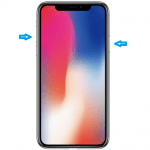
To reset the iPhone or iPod Touch, press and hold down the Sleep/Wake button and the Home button simultaneously at the same time for at least ten seconds, then the LCD display will clear and the Apple logo appears on the black background. When Apple logo appears, reset is done.

Related posts:

  1. New Apple iPod Touch With Touchscreen And Wi-Fi Connectivity
  2. Touch Sensitive iPod Patent Pictures
  3. HTC Touch – the iPhone Killer
  4. Apple’s New Patent To Protect Unauthorized Use of iPod and iPhone
  5. Hide-a-Pod – The Innovative Apple iPod Anti-Theft Case

318 Comments

  • THANK YOU VERY, VERY MUCH!! You were a HUGE help!! Have a GREAT day!!!! :p

  • Kerry have you tried putting it on the charger???(I’m only ten but i have had all these problems on my Ipod!!!!)

  • I tried the reboot. The apple pops up but just stays there, still frozen. Is there any other suggestions to fix this?

  • my i pod wont turn on after anything i do

  • My child’s ipod touch is frozen with vertical lines on the screen. There is no response to reset instructions. ??????????????????????

  • thanks saved me.

  • my ipod touch 4th generation is stuck with the apple logo and a bar unerneath of it, it wont do anything! ive read the manuals online and the one that came with the itouch but it still doesnt tell me how…. im getting kinda freaked- HELP ME!!!!!!!!!!!!!!! PLEASEEEEEEE!!!!!!!!!!!!!!!

  • whats wrong with my iphone???? why i cant scroll it down???? and is has a voice every time i click an icon….. how can i restore it to normal :( (….

  • mine is frozen or something!? it says it is still connected to itunes

  • is there a way to re-boot an Apple 3GS if the on/off button does not allow a turn off to the Apple logo

  • mine is stuck at the apple symbol its like a skull whats that mean?

  • I tried this but instead of the Apple logo I keep getting the low battery image. ?!?!?! :S

  • thanks , this helped me open cydia

  • Great, but you didn't tell us to hold down the sleep/wake button for another 10 seconds after the Apple logo comes up…. Anyway it's working fine now, thanks

  • Thanks dude, that helps a lot :D

  • thanks pal, you saved my day =)

Pages: 1 5 6 7

Leave a comment

Notify me of followup comments via e-mail. You can also subscribe without commenting.

Subscribe

Free email subscriptions
Get latest updates in email for free:

Translate This Page