
Firefox 4 is a major version upgrade for the web browser, and consequently, add-ons, plug-ins or extensions which have not been updated to run properly on Firefox 4 will not be compatible with Firefox 4. Early adopters who have upgrade to Firefox 4 Beta 1, there are in fact a lot of incompatible extensions been detected, and automatically disabled by Firefox 4 Beta.
In fact, some plugins, addons or extensions may be able to continue to work properly in Firefox 4, despite been labeled as incompatible by the web browser. Hopefully, by default Firefox will not allowed any incompatible extension, addon or plugin to be installed or enabled.
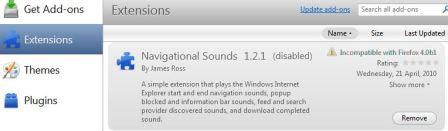
Use the trick below to disable and turn off Firefox 4 extensions compatibility check so that incompatible extensions can be installed or enabled.
- In Firefox 4 Beta, type about:config into the address bar, and hit Enter or Go.
- Click on I’ll be careful, I promise! button at the warning prompt.
- Right click on the window, and select New -> Boolean.
- Enter extensions.checkCompatibility.4.0b as the preference name.
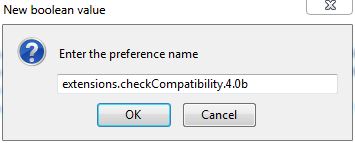
- Set its value to False.

- User can now install or re-enable incompatible extensions.
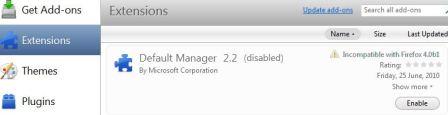
Note: It’s important to understand that not all extension will work perfectly in new version of Firefox, especially when it’s been tagged as incompatible.
 Tip and Trick
- How To Download HBO Shows On iPhone, iPad Through Apple TV App
- Windows 10 Insider Preview Build 19025 (20H1) for PC Official Available for Insiders in Fast Ring – Here’s What’s News, Fixes, and Enhancement Changelog
- Kaspersky Total Security 2020 Free Download With License Serial Key
- Steganos Privacy Suite 19 Free Download With Genuine License Key
- Zemana AntiMalware Premium Free Download For Limited Time