How to Enable and Turn On Hibernation Feature in Windows Vista
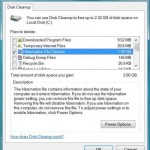
Ability to hibernate is enabled by default on every Windows Vista installation. If you have disable and turn off hibernation feature, accidentally delete hiberfil.sys using Hibernation File Cleaner of Disk Cleanup tool, or you just simply cannot and unable to find the Hibernate button to put the computer into hibernation state, you can re-enable or try to enable and turn on the hibernation functionality in Vista again with the following command. In Windows Vista, users no longer able to enable or disable hibernation via desktop graphical user interface.
How to Enable and Turn On Hibernation Feature in Vista
- Click Start button, then type Cmd in the Start Search box.
- In the search results list, right click on “Cmd” and click on Run as Administrator item on contextual menu.
- In the command prompt window, type the following command:
powercfg -h on
Related posts:
- How to Turn Off and Disable Hibernation in Windows Vista
- Disable and Turn Off (or Enable or Turn On) Data Execution Prevention (DEP) in Windows Vista
- Turn On and Enable UPnP or Network Discovery in Windows Vista
- Disable or Turn Off (Or Enable and Turn On) Windows Vista Internet Explorer 7 (IE7) Protected Mode
- Turn On or Enable Remote Desktop on Windows Vista


That was great! Thanx a lot!
thanx it works
ITS HELPFUL
THANKS
Hey I tried enabling the hibernation but it didnt allow me to. Says I dont have permission to do that
awesome man!!! thnx
Great tip man!!!
Thanks a lot, it really helped.
Thank you, it really helped.
thanks… that was helpful
tnx!..great tutorial…
msb has changed the commands to
powercfg.exe/hibernate on
powercfg.exe/hibernate off
you are genius,great work..works like magic
thanks, it works like a charm, Microsoft should read this and update the windows help section.
thanks, it works!
It works great thanks
thank you…..
It Works ….Thanks ….
good Work
Thanks.
It Worked….
thanks..this really worked…
thanks windows should really put this in there help and support secton
Thank you verry much! I missed the hibernation alot
I tried the help file of windows vista and nothing. YOur advice works like a charm. Thanks
it works, thanks a lot…
thanks so much~
i was worried that i couldnt get it back~
Works for me.
Lot of thanks.
Gateway Netbook: Ran it on Vista Home from the Start->Run (DOS prompt) path. It accepted the command and when I looked to Shutdown, there it was! Voila! Muchas thanks!
[...] Hibernate feature allows operating system to save and write the running state and contents of RAM as a file or partition to non-volatile storage such as a hard disk, before powering off the computer. Hibernation allows system to quickly restart and restore to original state when hibernation was invoked, instead of having to close down and start up all the running programs again. In Windows 7, hibernate option should be enabled and turned on by default, However, if you can’t find Hibernate option in the Start menu power button, the steps to enable Hibernate in Windows 7 is easy, and is the same with how to enable and turn on hibernate option in Windows Vista. [...]
Thank you so much i thought i did something wrong.
it works…thanks…
this didn't work for me…. i still can't get hibernation enabled…. any other suggestions?
fuck you a lot
Thanks, this info was great help. Have been going crazy as to where did the Hibernate utility vanish … and tried almost all thinable procedures. This was very helpful indeed.
Thanks for the help. Not being able to put the my laptop into hibernation was driving me batty for two weeks. Ahh, I can sleep better at night now.
it works thx
yay thanks
it does not work buddy
please help
me
Thanks. It helped me out.
i want to active hibernate . when i type 'powercfg -h on' i see the result i.e you have not permisson to change it
really tnx.
Evidence eliminator advise me to turn it of said it was a security risk to my dell computer
It doesn't appear on the menu on my start menu…
Thank you.
I still hate Vista program, especially on a Dell computer.
[...] of Vista. It’ll start up much faster. Unlike XP, it has to be activated via a command line. Details here. Hope that helps. __________________ Imagination was given to man to compensate him for what he [...]
thank u.
thank you for the info.
thanx alot, you helped me alot
thank you…
I've done the step you mention above
but the system said there are more legacy drivers installed:UgaSave
An Internal system component has disabled hibernation..
what should I do??
thanks a lot, your website helped me in a lot of ways.
thank you.