How to Activate Kaspersky Products Offline Without Internet Access
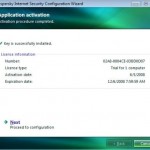
If you have the activation code for a Kaspersky products such as KIS (Kaspersky Internet Security) and KAV (Kaspersky Anti-Virus) which activate the commercial license with subscription period, the Configuration Wizard will require user to activate online. For offline computer system without Internet connection or do not have Internet access, here’s the workaround to activate and unlock Kaspersky product without going online.
Open Internet Explorer (IE6 or IE7) web browser, and go to Kaspersky Lab Online Activation Center:
Enter the activation code in the field’s space on the web page. Leave the “Customer ID” and “Password” field blank.
Click Next.
A license key file will be generated. Click on the Download Key to download the license reg key for your Kaspersky product.
The downloaded license key file is in .ZIP format. Unpack the zipped file to get a file has the name in the format of 0XXXXXXX.key.
There are two methods of using the license registration key file to activate the Kaspersky offline:
After installation, in the Configuration Wizard, select Activate using the key file, and the select the license key file extracted to activate the software.
Copy the license key file to the Kaspersky setup installer temporary installation files folder, and then start the setup manually.
The setup installer for Kaspersky software application will create a temporary directory that stores setup files (i.e. kis.xx.msi and setup.exe) required to complete the installation. Normally, for KAV, the folder is \Documents and Settings\All Users\Application Data\Kaspersky Lab Setup Files\Kaspersky Anti-Virus xxx\English (for Windows XP) or \ProgramData\Kaspersky Lab Setup Files\Kaspersky Anti-Virus xxx\English (for Windows Vista, Windows 7, Windows 8, Windows 10 or later). For KIS, the folder is \Documents and Settings\All Users\Application Data\Kaspersky Lab Setup Files\Kaspersky Internet Security xxx\English (for Windows XP) and \ProgramData\Kaspersky Lab Setup Files\Kaspersky Internet Security xxx\English (for Windows Vista, Windows 7, Windows 8, Windows 10 or later).
After copying the license key file to the same directory with the embedded installation files of Kaspersky program, start the installation process again by double-clicking on the either one of the setup file (i.e. setup.exe or kis.xx.msi, where xx is language such as en or de).
After installation, Kaspersky will automatically pick up the license reg key and unlock the program.
LK is a technology writer for Tech Journey with background of system and network administrator. He has be documenting his experiences in digital and technology world for over 15 years.Connect with LK through Tech Journey on Facebook, Twitter or Google+.