In you intend to download video from video hosting and sharing sites such as YouTube, MySpace, Metacafe, iFilm and Google Video or flash video embedded on web page, and later transform or convert the FLV flash video clips into another video media format such as AVI, MPEG/MPG, 3GP and MOV, you can save the works by letting web based free online FLV converters to grab the flash video from the hosted server and convert the video clip automatically to selected file format, without the need to download or installing any third-party programs. And after FLV conversion and decoding, users can simply download the converted video in new video format to local hard disk for offline viewing or easily burn to VCD or DVD.
FLV Online Converter
FLV Online Converter (online converter no longer available), currently at version 0.5.1202, is developed by a Japanese. FLV Online Converter service converts a FLV file downloaded from video hosting and sharing sites such as YouTube’s movie, Google Video etc and transform the flash video to another video format in AVI, MOV, MP4, MP3 or 3GP. The service is using a unique technologies called FLV Lossless Converter (FLVLC) which is able to convert FLV to MPEG4 faster and losslessly than a typical transcoder.
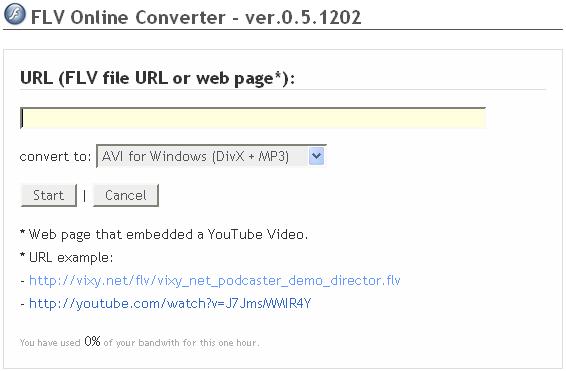
To use FLV Online Converter, simply input the URL or link location of the web page with embedded FLV video (e.g. http://youtube.com/watch?v=J7JmsMMIR4Y), or key in the direct URL to the FLV flash video itself (e.g. http://techjourney.net/flv/demo.flv). The web based service can detect the embedded FLV video code on a web page to determine the source for downloading the video automatically. Then select on the format you want to convert the file to, and then click on Start, and the service will check for the availability and validity of the flash video link. If the initial check is success, the service when then transferring the FLV file from the hosted location to the vixy server itself, and convert the file into your desired format.
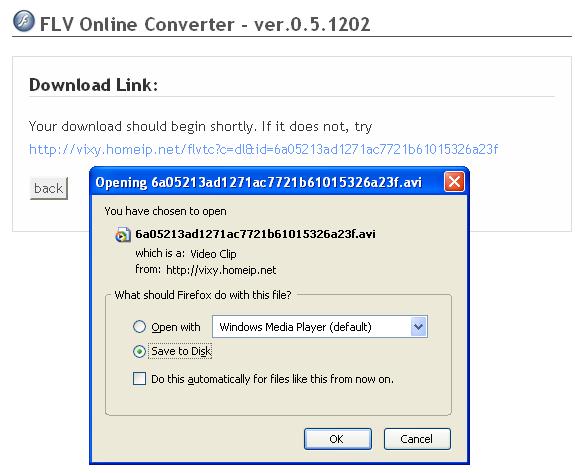
Once conversion completed, users will be able to download the converted videos which common and popular format selected.
The conversion output formats and platforms that FLV Online Converter supports are:
AVI for Windows (DivX + MP3) MOV for Mac (MPEG4 + MP3) MPEG4 for iPod/PSP (MPEG4 + AAC) 3GP for Mobile (MPEG4 + AAC) MP3 (audio only)
Media Convert
Media Convert (no longer available) is the Swiss Army Knife converter for online free media and file format conversion. It supports a lot of file formats from text documents, sound, audio, ringtones, images to videos. For purpose of this article, we will focus on its feature and ability to convert FLV file to another video format.
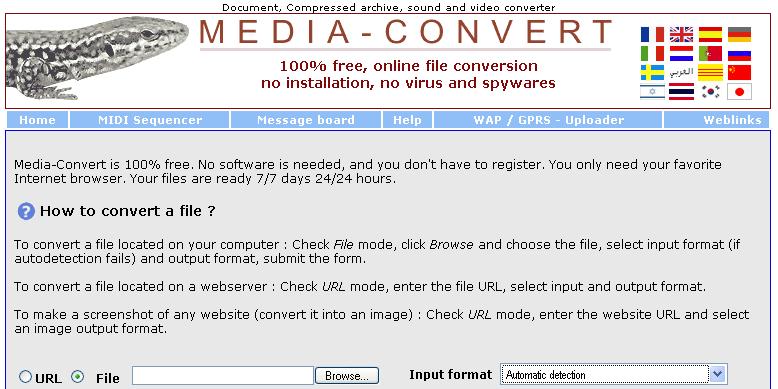
Media Convert allows users to submit FLV videos located on local hard drive of the computer in File mode, or URL mode that requires the URL or link location to the the FLV file that is located on web server. Unlike FLV Online Converter, Media Convert does not support automatic detection of FLV direct download link location for FLV embedded and playable on web pages. So users have to determine the correct URL the will link and access to the FLV video before using Media Convert.
So users need to find out the URL or link location to the flash video first before using Media Convert. If you want to convert FLV video on your PC, or you already have direct link to the videos (such as http://sjc-v9.sjc.youtube.com/get_video?video_id=qLTXrS2LlRA) then you can skip the steps to detect and reveal the video’s URL. For example, to download a Youtube video and convert it directly to another format such as AVI, follow the following steps:
To find out the URL or web page link to the FLV video clip in YouTube or Google Video, go to www.videodl.org (no longer available) or any other website that will detect the direct download link of the flash video so that users can download the video directly)
Input by copy and paste the URL or link location of the YouTube page that contains the video you want to download.
Click on “Get it” or “Download” or “Start” or whatever applicable.
The video direct download service will return a link to download the FLV video directly. Right click on the download link and select “Copy Link Location” (for Firefox) or “Copy Shortcut” (for IE). There is no need to actually download the video itself, as if you download now, the video will be in FLV format.
Come back to Media Convert (no longer available).
Set the URL mode by clicking on URL radio button.
Copy and paste the URL that generated by videodl.org (or another other video downloading service you used).
Select the appropriate input format (i.e. FLV, you can try Automatic Detection).
Select the preferred output format (supported format include .avi, .mpg, .mp4, .3gp, .mov, .amv and .swf).
Click Convert.
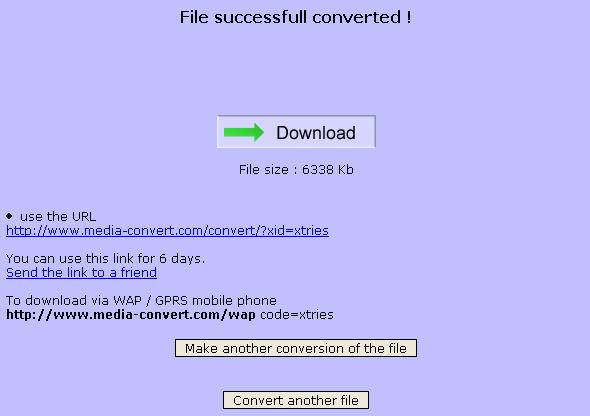
Media-Convert will download and convert the video for you. Once finished and ready, Media Convert will display a download link to the converted format video file, which is usable to download the video clips for up to 6 days. Media Convert also provides a URL that can be accessible from WAP / GPRS mobile phones to download the converted videos.
Movavi Online Video Converter
A online video converter that also supports FLV flash video format, and can download video directly from YouTube and other video hosting sites. Read more about Movavi Online Video Converter.
LK is a technology writer for Tech Journey with background of system and network administrator. He has be documenting his experiences in digital and technology world for over 15 years.Connect with LK through Tech Journey on Facebook, Twitter or Google+.