
In conjunction to the holiday’s season, Sean Alexander, the director of Microsoft entertainment and devices division has created a desktop theme for Windows 7 which known as Winter Fun Theme. The Winter Fun Theme for Windows 7 is being created with the combination of the winter wallpapers and sound effects that aimed to spice the desktop. By default, the wallpapers are preset to change every 30 minutes and the users are able to change the setting by their own.
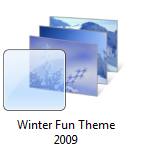
According to Alexander, “This combination of Winter wallpapers and sound effects are sure to warm your heart and will be familiar to those who installed the Windows XP Winter Fun Pack back in 2003 as this is a re-release, simplified by Windows 7. I tried to take care not to overdo with the sound effects but you’ll find a few little additions I think you’ll enjoy. To install, just run the .themepack file on your Windows 7 desktop. The wallpapers are set to change every 30 minutes, but feel free to choose your own” .
The Winter Fun Theme for Windows 7 is now available as a free . Once download, the users just need to run the .theme pack file for the installation.
 Tip and Trick
- How To Download HBO Shows On iPhone, iPad Through Apple TV App
- Windows 10 Insider Preview Build 19025 (20H1) for PC Official Available for Insiders in Fast Ring – Here’s What’s News, Fixes, and Enhancement Changelog
- Kaspersky Total Security 2020 Free Download With License Serial Key
- Steganos Privacy Suite 19 Free Download With Genuine License Key
- Zemana AntiMalware Premium Free Download For Limited Time