Disable or Enable Blink Style Text Decoration Support in Firefox
Firefox supports a special text-decoration style of blink, which make the text embedded within the blink style blinking. For example, blinking text. Webmaster or blogger can opt to has blinking text on their web pages, however, viewer and visitor can choose to force disable the blinking style support in Firefox.
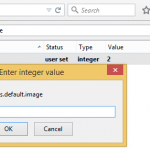
To disable the blinking style text decoration element in Firefox, type about:config in the Firefox Location Bar. Then, locate the browser.blink_allowed or browser.blink.effects_allowed or browser.blink_effects_allowed or browser.blinkeffects_allowed preference name (can also type the name into the filter to quickly search it).
Double click on the line of browser.blink_allowed or browser.blink.effects_allowed or browser.blink_effects_allowed or browser.blinkeffects_allowed to change its Boolean value from true to false. Now, refresh the web page with blinking text, you’ll see the blinking text is not static, fixed and no longer blink.
To re-enable blink support, change the value to true.
Update: Firefox no longer supports blink text decoration since Firefox 23.
LK is a technology writer for Tech Journey with background of system and network administrator. He has be documenting his experiences in digital and technology world for over 15 years.Connect with LK through Tech Journey on Facebook, Twitter or Google+.