
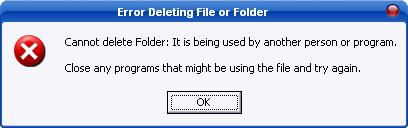
Sometimes when you want to delete a file or folder from your desktop, you will get frustrated when the Windows prompt you a message: “Cannot delete Folder: It is being used by another person. Close any programs that might be using the file and try again”. Of course other flavors you might frequently see include: “Cannot delete file: Access is denied”; “There has been a sharing violation”; “The source or destination file may be in use”; “The file is in use by another program or user” and “Make sure the disk is not full or write-protected and that the file is not currently in use”.
These annoying messages understandably drive you mad as you can’t delete the files. The undeleted files will remain in the desktop and continue to be an eyesore for you. If you close all folders or programs and the recalcitrant Windows still doesn’t allow you to delete them, try Cedrick Collomb’s free Unlocker tool. Unlocker is a freeware and you can download it for free. Once you have installed it, the application’s shortcut will be added into your shortcut menu. To delete a folder or file locked by Windows, just right click the file or folder and select Unlocker in the shortcut menu. If the folder or file is locked, a window listing of lockers will appear. You can choose to unlock the files or select actions to be taken such as “Delete”, “Rename”, “Move” or “Copy”.
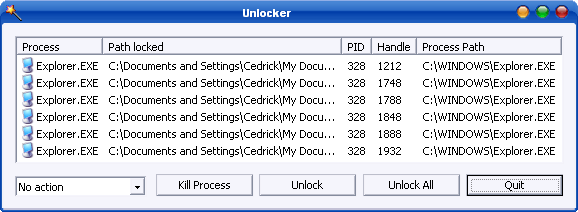
Unlock Files or Folders
This free tool is quite useful to remove your unwanted files if Windows doesn’t allow you to do so. Get the latest Unlocker 1.8.7 via the direct link here.
Another alternative is FileASSASSIN from Malwarebytes.
 Tip and Trick
- How To Download HBO Shows On iPhone, iPad Through Apple TV App
- Windows 10 Insider Preview Build 19025 (20H1) for PC Official Available for Insiders in Fast Ring – Here’s What’s News, Fixes, and Enhancement Changelog
- Kaspersky Total Security 2020 Free Download With License Serial Key
- Steganos Privacy Suite 19 Free Download With Genuine License Key
- Zemana AntiMalware Premium Free Download For Limited Time