Change Windows Vista Start Menu Power Button Default Action
Windows Vista Start Menu has a power button that if you press, will put computer system into Sleep mode. Going to the sleep state is the default action and behavior if user clicks on power button in Start Menu when want to shutdown the PC. This is in contradiction with the normal practice in Windows XP or previous version of Windows where shutdown power button would bring down the computer to complete off and power less state instead of energy saving sleep state.
The default action of power button in Start Menu of Windows Vista can be changed from Sleep to Shut Down or Hibernate or vice versa if you never want to use sleep mode to make the system sleeps, which still waste some electricity bill. Here’s the guide on how to change the power button in Windows Vista Start Menu to trigger shutdown or hibernate as default action the the power button is pressed.
Go to Control Panel.
Click on System and Maintenance link.
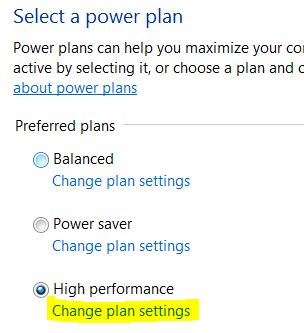
Click on Power Options applet.
Click on Change plan settings on the power plan that is been used or activated.
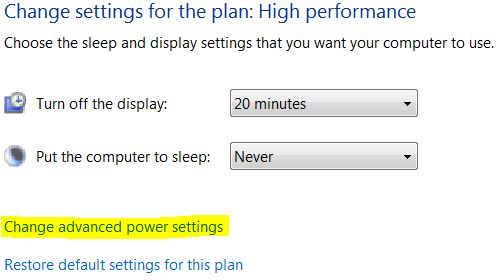
Then click on Change advanced power settings link.
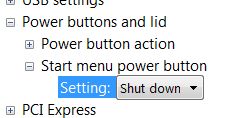
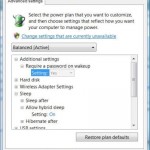
Expand Power buttons and lid options tree.
Expand Start menu power button option.
In the “Setting” drop down list, change to Shut down. If you prefer to hibernate your system, choose Hibernate, or Sleep if you want to revert back to out-of-the-box default.
Click on OK button. The change will take effect immediately, and you can now shutdown computer properly by single clicking on power button at Start Menu.
LK is a technology writer for Tech Journey with background of system and network administrator. He has be documenting his experiences in digital and technology world for over 15 years.Connect with LK through Tech Journey on Facebook, Twitter or Google+.