
Firefox 3.6 includes a new feature where new tab, when click on a hyperlink that targeted to open in new window or tab, middle-click a link, or right click a link and select “Open Link in New Tab”, will be inserted and opened right next after the current or existing active tab containing the link in the Tab bar. The behavior facilitate the related tabs, where tabs for origin web page and web pages that are open by following hyperlinks that span from origin page are grouped together.
Blank new tab continue to open at the far right end of the Tab bar. Previously, before Firefox version 3.6, all new tabs are added at the far right end of the Tab bar of the popular web browser to surf Internet. The change make Firefox tab behavior to be almost similar to Internet Explorer, specifically IE7 and IE8. Firefox users who can’t get used to the new tab opening style, and want to revert and get back to the old way of opening new tabs, where all new tabs are inserted and added at the far right end of the Tabbar after all existing tabs, use the following how-to trick to make the change.
How to Open New Tab At the End of Tab Bar After All Existing Tabs in Firefox and Disable Insert Next to Current Tab
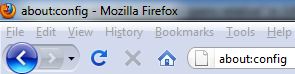
- In Firefox, type about:config into Location bar.
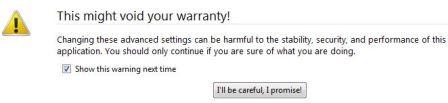
- Click on I’ll be careful, I promise! button.
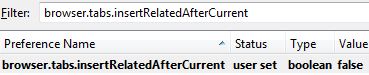
- In the filter text box, enter the following text string:
browser.tabs.insertRelatedAfterCurrent
Alternatively, manually locate the preference name above.
- The default boolean value for the browser.tabs.insertRelatedAfterCurrent is “true”. Double click on the browser.tabs.insertRelatedAfterCurrent to change its value to false.
- Close the tab, and the change will take effect immediately.
 Tip and Trick
- How To Download HBO Shows On iPhone, iPad Through Apple TV App
- Windows 10 Insider Preview Build 19025 (20H1) for PC Official Available for Insiders in Fast Ring – Here’s What’s News, Fixes, and Enhancement Changelog
- Kaspersky Total Security 2020 Free Download With License Serial Key
- Steganos Privacy Suite 19 Free Download With Genuine License Key
- Zemana AntiMalware Premium Free Download For Limited Time