Alternative to Use Windows Vista Flip 3D Feature in Windows XP with TopDesk
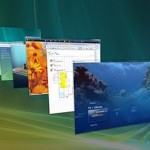
One of the new feature in Windows Vista is Windows Flip 3D. Windows Flip 3D is the new windows navigation and management in Windows Vista that allows users to easily identify and jump or switch to another open window by displaying 3D snapshot thumbnail preview of all windows in stack that is scrollable with mouse’s wheel or arrow keys, on the support of Windows Aero Glass transparency effects. However, Windows Flip 3D idea is not new. Mac OS X Expose feature has allowed user dynamically tile all the open windows so that you can view the thumbnail and find the window you’re looking for more quickly. And there is alternative program or application that enable functionality similar to Windows Vista Flip 3D Windows XP.
Otaku Software TopDesk
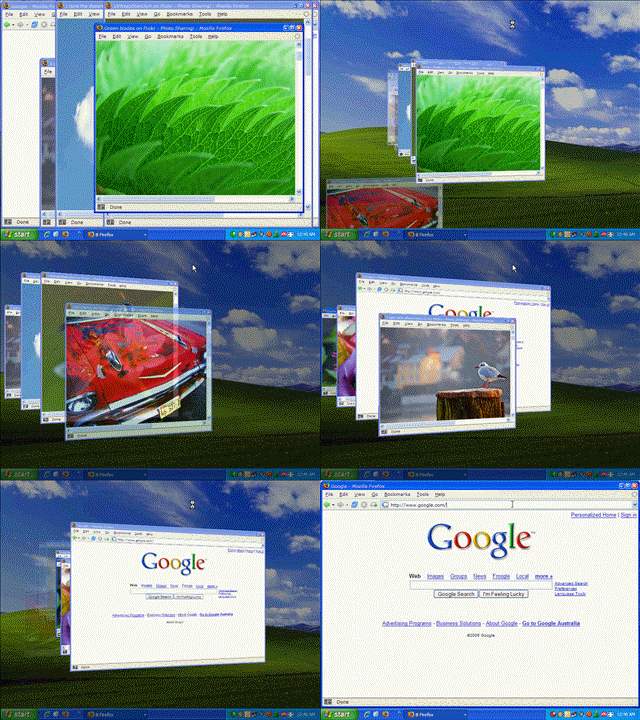
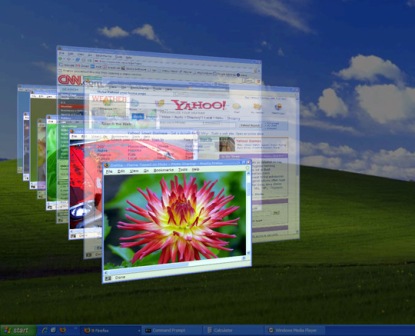
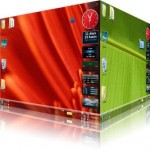
TopDesk is a Alt-Tab task switcher between applications replacement for Windows XP which allows you to instantly view thumbnails of all open windows, display thumbnails of windows belonging to the current application, or hide all windows to quickly access the desktop with a single key press. The latest version of TopDesk, TopDesk version 1.4.2 has incorporated Windows Vista Flip 3D feature which allows open windows to flip and tilt in a sliding sideway stack with transparent windows effect in 3D layout.
The features of Otaku Software TopDesk include:
Displays thumbnails of all applications, including minimized applications, in 2D and 3D views.
Shows thumbnails of all windows belonging to the current application.
Hides all windows for quick access the desktop.
While tiled, can display the title of the currently selected window or the titles of all tiled windows.
Windows can be closed and minimized/restored while tiled.
Completely configurable: Hot keys, mouse hotspots, floating buttons, window titles, and performance settings can all be changed.
Supports multiple monitors.
To activate TopDesk “Flip 3D” feature to preview all application windows, you can use Function Hot Keys, Mouse Hotspots, or Floating Buttons. By default, F9 tiles all windows, including minimized windows, F9+Shift tiles all visible windows, F10 tiles all windows belonging to the current application, and F11 hides all visible windows. Or you can simply move your mouse to a pre-defined TopDesk action mouse hot spots. Else, you can single click on floating buttons above all other applications to activate respective TopDesk action. As with Windows Flip 3D (test drive at showusyourwow), you can then flip thru the windows with mouse scroll wheel. Best of all, minimized windows will be displayed as transparent window.
Download TopDesk (current version 1.4.2) from Otaku Software. It’s not a freeware, but evaluation trial version is available, and TopDesk costs a cheap $14.95 only.
LK is a technology writer for Tech Journey with background of system and network administrator. He has be documenting his experiences in digital and technology world for over 15 years.Connect with LK through Tech Journey on Facebook, Twitter or Google+.