Add Open Command Window Here to Windows XP Folder with PowerToy
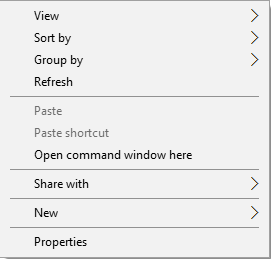
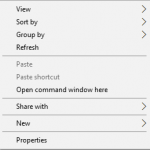
“Open Command Prompt Here” or “Open Command Window Here” provides an easy way to directly open command prompt window at the browsed location without having to using command line to change directory, especially to deep nested folder. Beginning from Windows Vista, Windows operating system has “Open Command Prompt Here” built-in but hidden, which will reveal when certain key sequence is pressed.
In Windows XP, to get Open Command Prompt Here on folder’s right click contextual menu, download and install Open Command Window Here PowerToy (CmdHerePowertoySetup.exe).
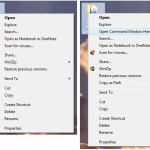
Open Command Prompt Here PowerToy adds an “Open Command Window Here” context menu option on file system folders in Windows XP, giving users a quick way to open a command window (cmd.exe) pointing directly at the selected folder. Unlike in newer Windows operating system such as Windows Vista, Windows 7, Windows 8, Windows 8.1 and Windows 10, the “Open Command Window Here” option will permanently display on right click menu in Windows XP.
LK is a technology writer for Tech Journey with background of system and network administrator. He has be documenting his experiences in digital and technology world for over 15 years.Connect with LK through Tech Journey on Facebook, Twitter or Google+.